Mobile Games
Pick a game that fits the way you hold your phone
A mobile browser session can mean holding a phone with one hand, propping it up while you have a break, or turning it sideways to see a wider scene. The Mobile tag on Pokia gives you games to try in those situations. Start by noticing which part of the screen you need to see and whether you can reach the input without covering it. A quick check on the device you are using tells you more about the experience than a picture of the game can.
Finish one task at an ice cream stand
In Roll Rush: Ice Cream Tycoon, you run a rolled ice cream stand on a beach. The action of scraping ice cream into rolls gives you a visible job to try first. Watch the area you are working on and see whether the movement feels comfortable on the screen. If you can make a serving without losing sight of the result, you have a better idea of whether you want to keep playing. The pace also gives you room to stop and change how you are holding the phone.
Try completing one task before exploring other parts of the stand. A small result is useful when you are deciding whether to stay or move on. If the part you liked was seeing ingredients become something recognisable, the Cooking Games category has other tasks that involve preparing a finished item. Look at each game individually to see how much room its controls need.
See whether you can aim and still watch the arrival
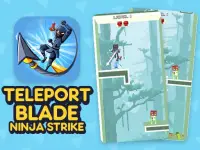
Teleport Blade: Ninja Strike uses a quick input to throw a blade and send the ninja to its position. The first thing to check on a phone is whether you can see the place you want to reach while you aim. Try a short throw with a clear destination. Notice what happens to the picture once the character moves. A control can feel simple to use but still ask you to pay close attention to the result.
When the game starts to move quickly, try giving each action a definite destination. That lets you decide whether you made an input mistake or chose a spot that was awkward to land in. If both the aim and the result are easy to follow, a quick action game can fit into a short visit. If the view feels cramped, try another title whose action stays nearer the centre.
Check the page before giving a game a whole round
Look for the game's own instructions and try the available layout. The tag is a way to browse, and the player itself is what shows you how a game behaves. Use the HTML5 tag for more browser games, or visit Android for another place to look on a phone or tablet. A round that leaves you comfortably able to see and act is a good reason to try the next one.
Leave yourself enough screen space to see the next decision coming.